OBJECTIVE
Design a simplified, high-clarity interface for industrial cleaning machines that reduces operator dependency, minimizes errors, and improves operational efficiency.
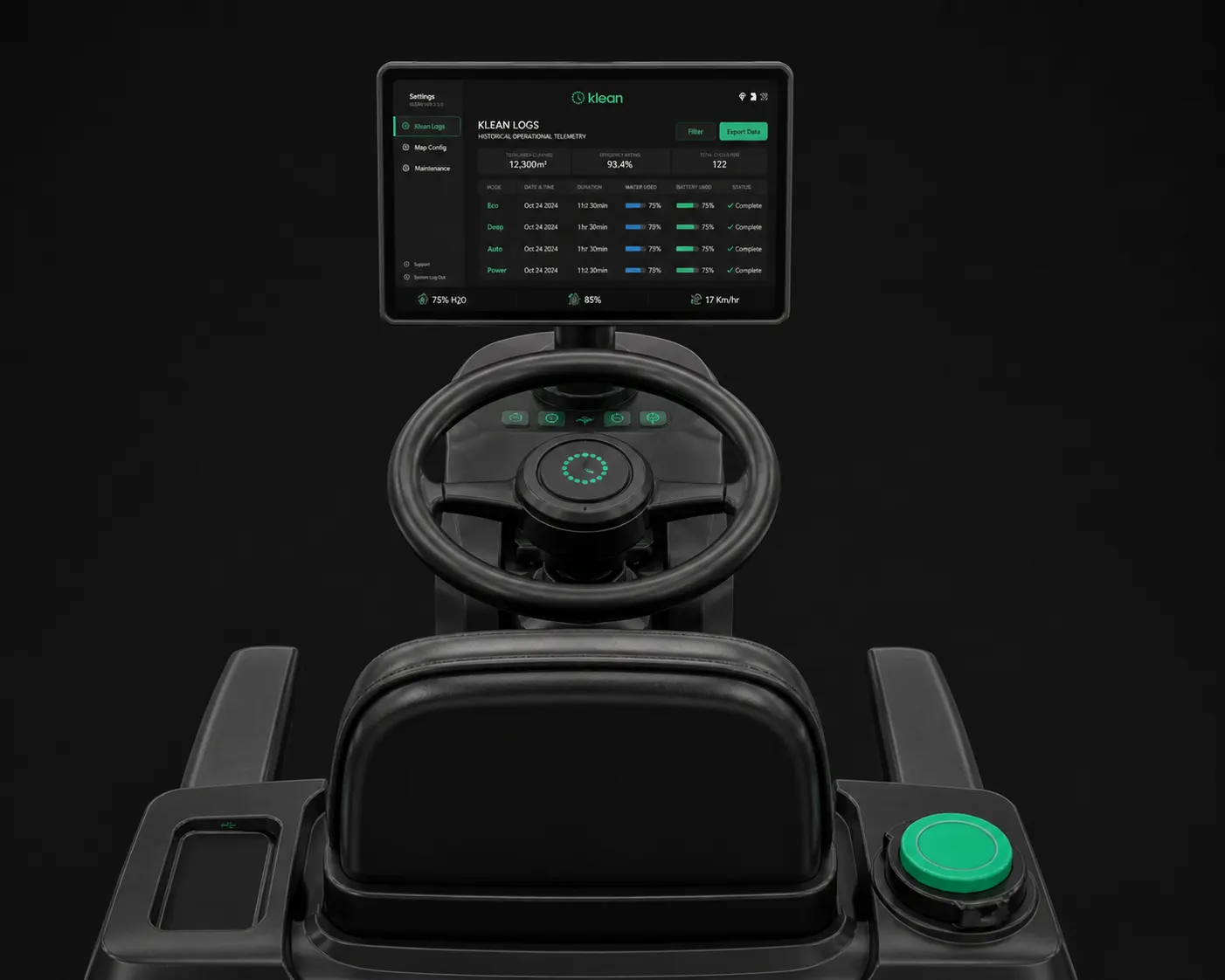
The goal was to replace complex, button-heavy systems with a touchscreen interface that is:
- Easy to understand within seconds
- Usable in physically demanding environments
- Focused on real-time feedback over control overload
The system also explores a transition from manual operation to semi-autonomous workflows.
WHAT IS KLEAN
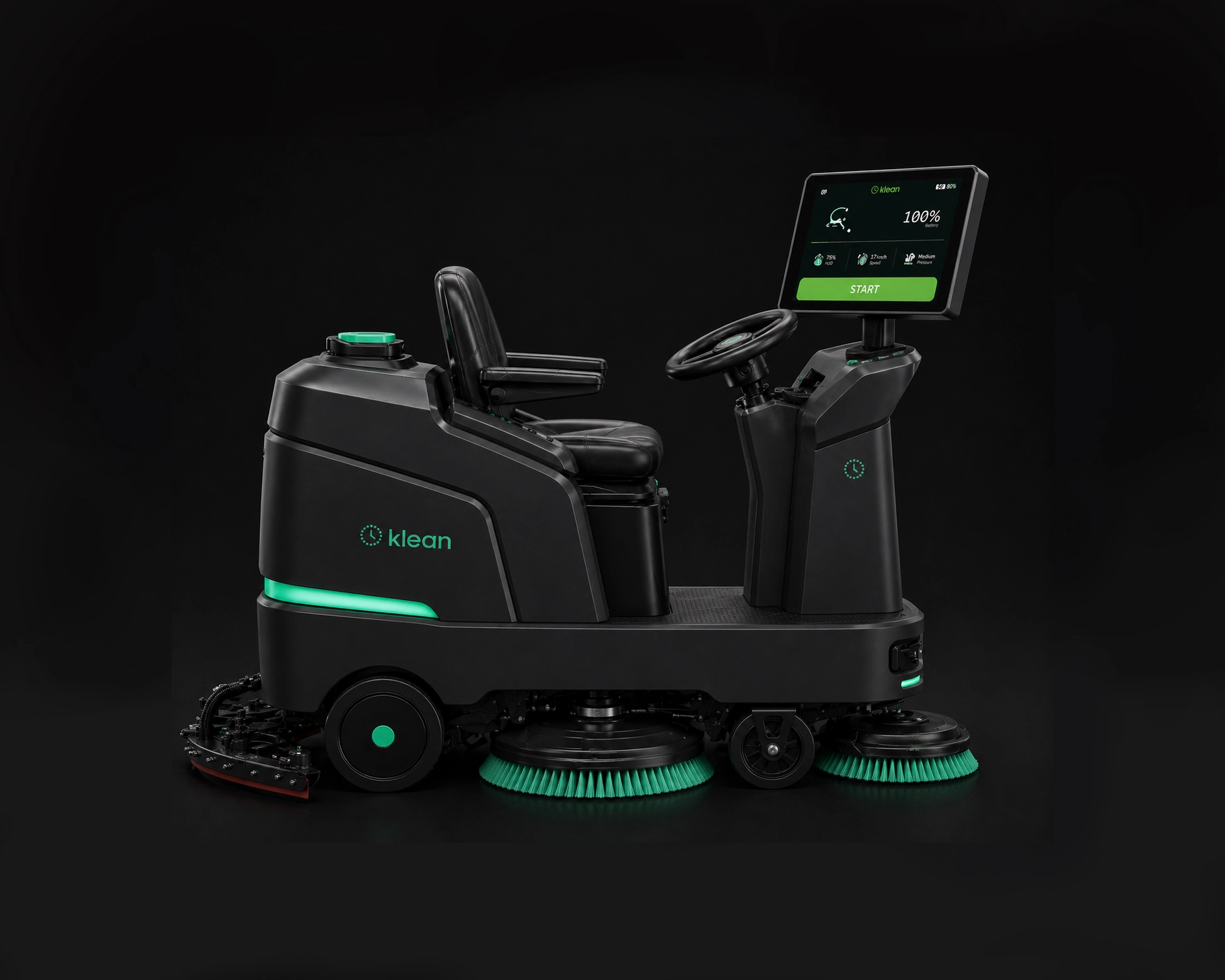
Klean is a concept for a next-generation industrial cleaning system designed for large commercial spaces such as malls, airports, and restaurants.
It combines:
- A simplified onboard interface for immediate control
- A structured system for monitoring cleaning operations
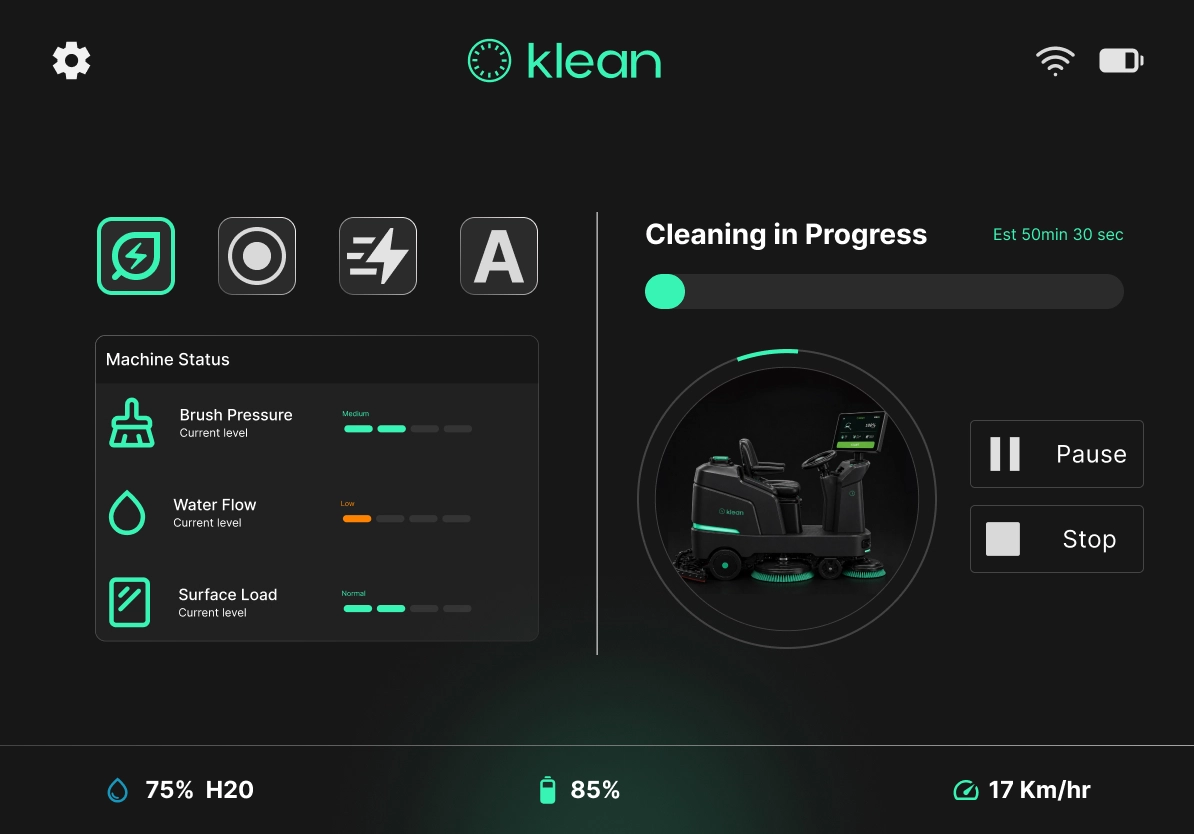
- Smart feedback using real-time machine data
Klean focuses on making cleaning machines feel less like tools and more like reliable systems that guide the user.
UNDERSTANDING OUR USERS
Noel
GOALS
- Complete cleaning tasks efficiently
- Avoid machine errors or breakdowns
- Understand machine status quickly
PAIN POINTS
Confusing controls and too many buttons. No clear feedback on machine status. Difficulty understanding alerts.
BEHAVIOUR
Relies on habit, not instructions. Avoids complex settings. Needs quick, glanceable information.
"Tell me what’s happening. Don’t make me think."
Anjali
GOALS
- Monitor cleaning performance
- Track machine usage and efficiency
- Reduce downtime and errors
PAIN POINTS
No centralized data on cleaning activity. Hard to track machine performance. No visibility into operator mistakes.
BEHAVIOUR
Data-driven decision maker. Needs quick summaries, not raw data. Works across multiple systems.
"Give me visibility and control without micromanaging."
Jakim
GOALS
- Learn how to use the machine quickly
- Avoid making mistakes
- Build confidence
PAIN POINTS
No onboarding or guidance. Fear of damaging equipment. Overwhelmed by controls.
BEHAVIOUR
Hesitant and cautious. Looks for visual cues. Learns by doing.
"Guide me step-by-step so I don’t mess up."
KEY PROBLEMS
Complex Interfaces
Too many controls and unclear indicators lead to confusion and errors.
Limited Real-Time Feedback
Operators lack visibility into machine status, resources, and performance.
High Cognitive Load
Users must remember functions and interpret unclear signals under pressure.
Poor Error Communication
Alerts are vague, easy to miss, and not actionable.
Lack of Operational Visibility
Supervisors cannot easily track usage, efficiency, or performance.
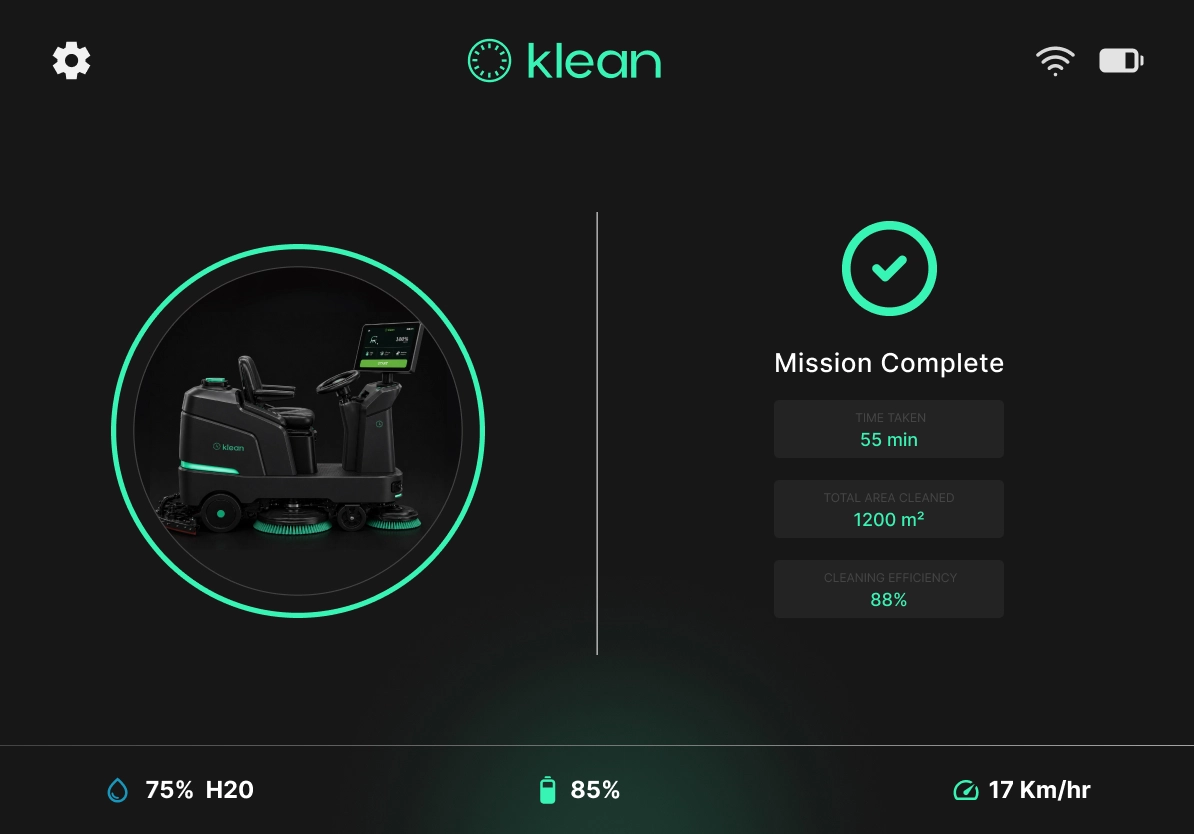
KLEAN AT A GLANCE
INFORMATION ARCHITECTURE
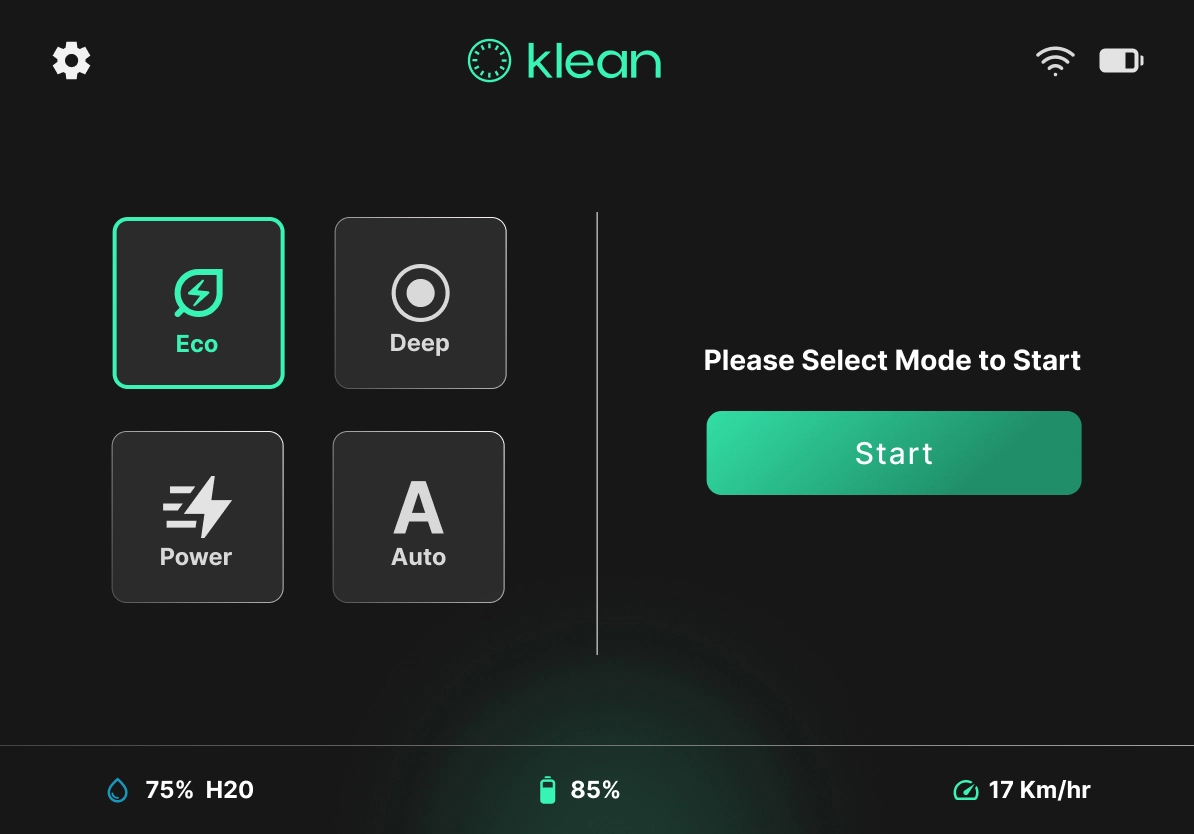
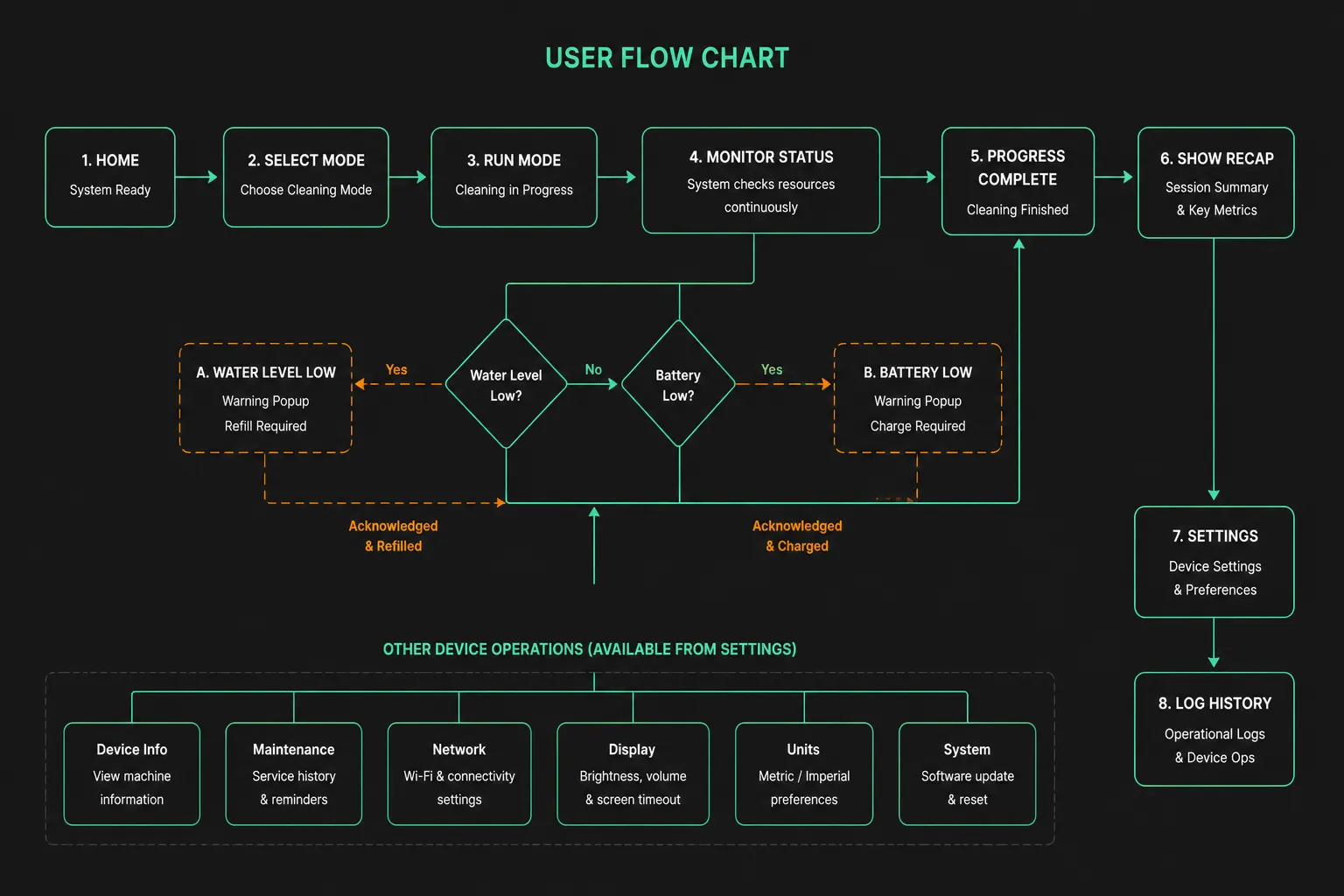
The system is designed with a clear, linear flow focused on mode selection and continuous monitoring:
UX BREAKDOWN
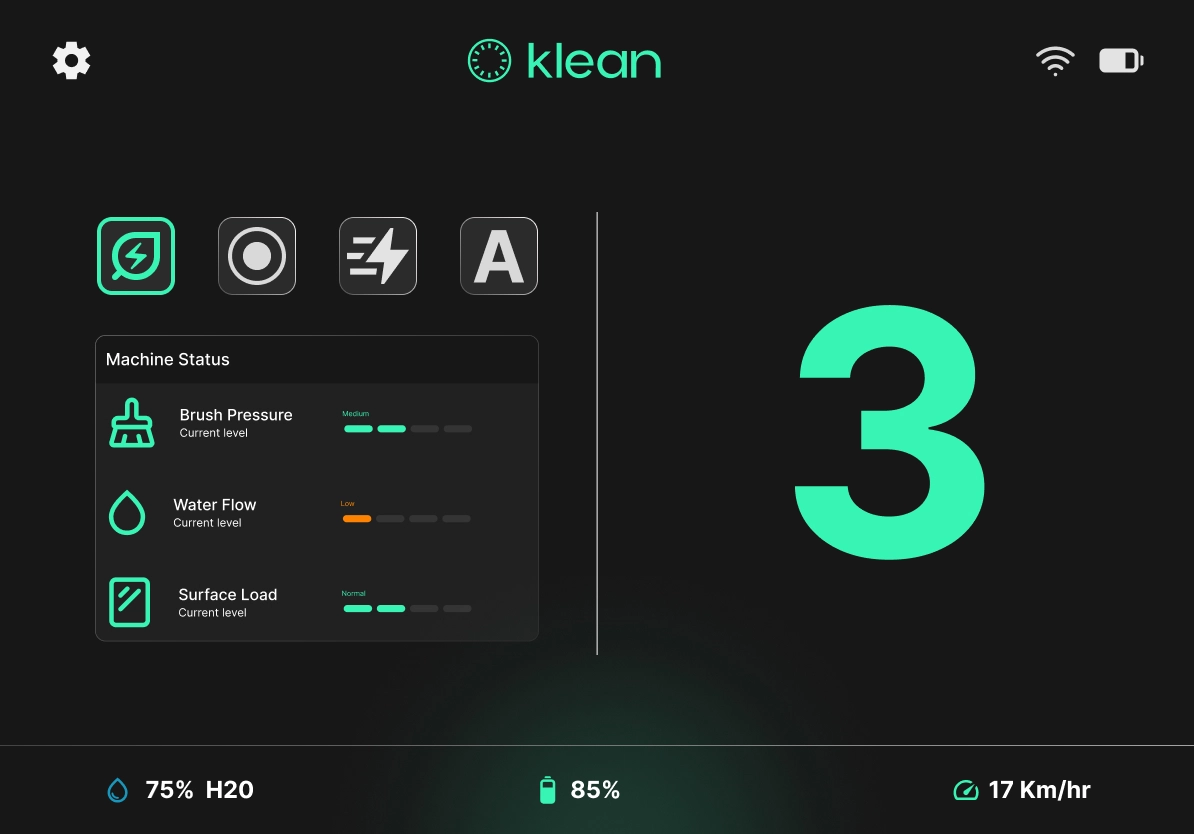
Large Controls
Large glove-friendly controls.
Mode-Based
Clear mode-based interaction.
Active States
High-visibility active states.
Reduced Cognitive Load
Simplified interface for reduced cognitive load.
Persistent Stats
Persistent machine stats.
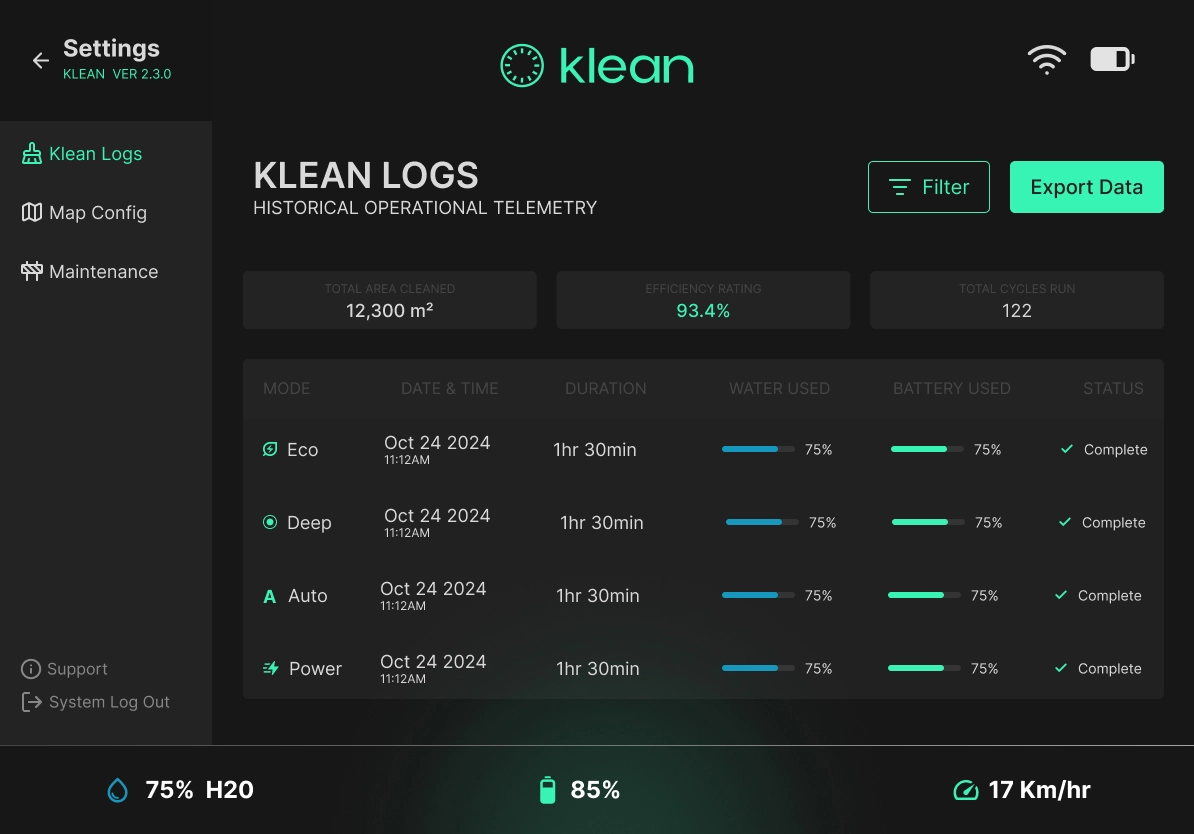
Operational Logs
Real-time operational logs.
Structured Data
Structured data hierarchy.
Quick Filtering
Quick filtering & export.
Progress Indicators
Easy-to-read progress indicators.
Simplified Navigation
Simplified sidebar navigation.
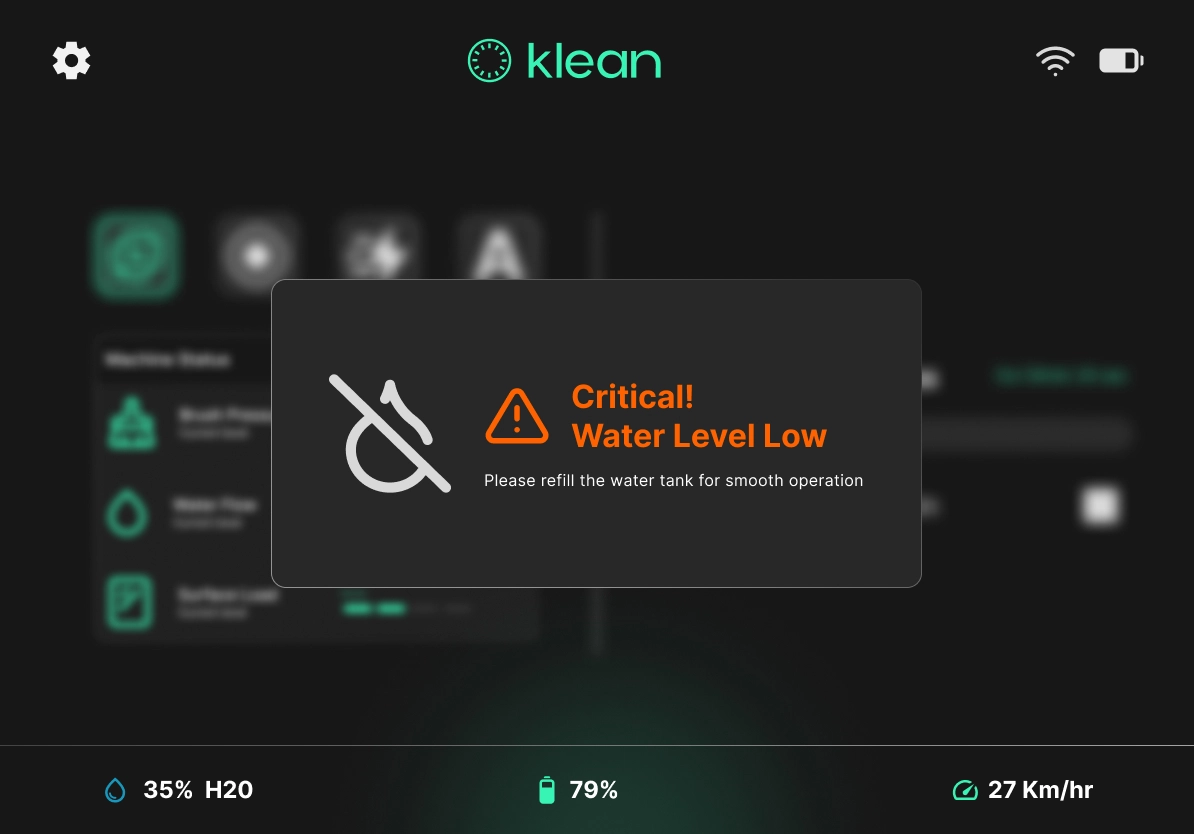
High-Priority Alert
High-priority alert visibility.
Color-Coded
Color-coded warning states.
Focused Modal
Focused modal interaction.
Actionable Messaging
Actionable error messaging.
Fast Decision
Fast decision support.
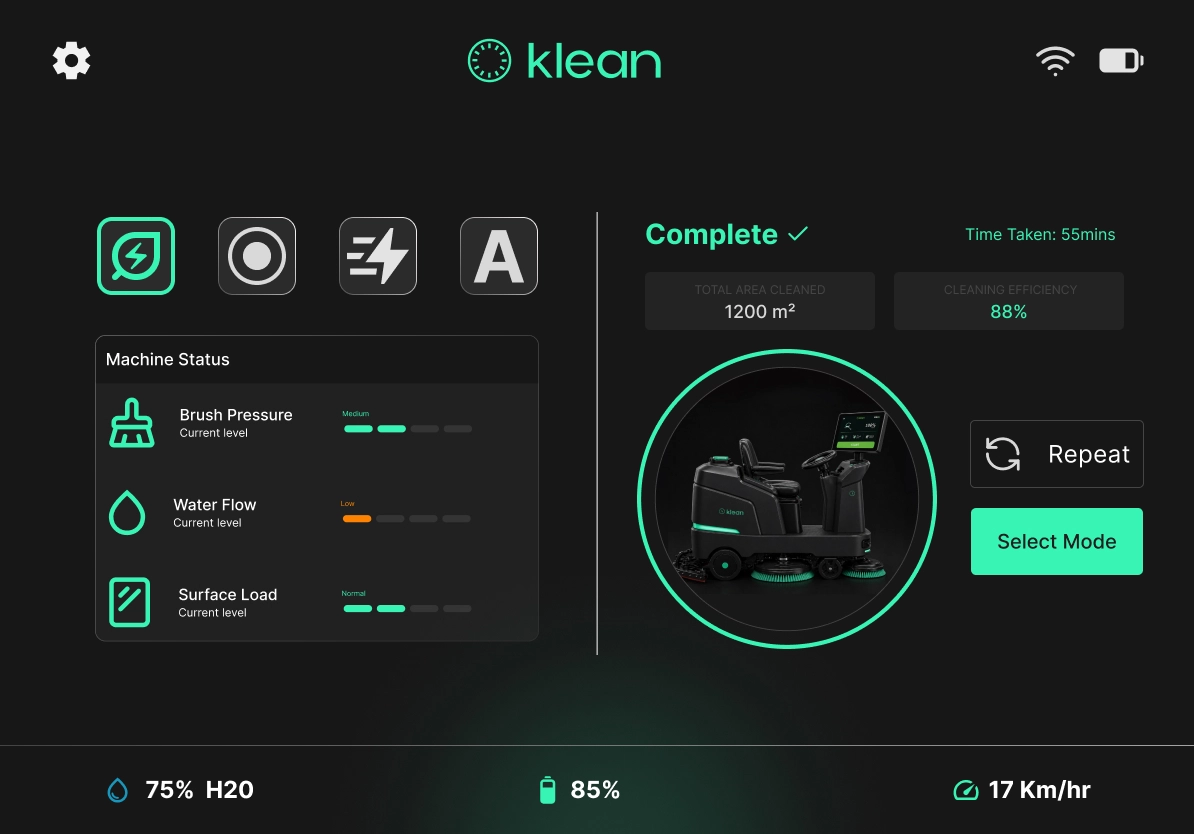
Clear Feedback
Clear task completion feedback.
Quick Recap
Quick performance recap.
Fast Repeat
Fast repeat action flow.
Smooth Navigation
Smooth next-step navigation.
Efficiency Focus
Efficiency-focused summaries.
PROJECTED OUTCOMES
Underexplored UX Space
A self-initiated concept tackling an underexplored UX space — industrial machine interfaces are rarely addressed in design portfolios, demonstrating range and curiosity beyond conventional app and web design.
Independent Framing
A concept built entirely on independent research and problem framing, with no client brief — demonstrating the ability to identify a real-world gap, define a problem, and drive a design solution from scratch.
Error Reduction
Projected to reduce machine errors caused by operator confusion — by replacing ambiguous button-heavy controls with clear, color-coded feedback and actionable alerts.